Original Prompt
Copy
{
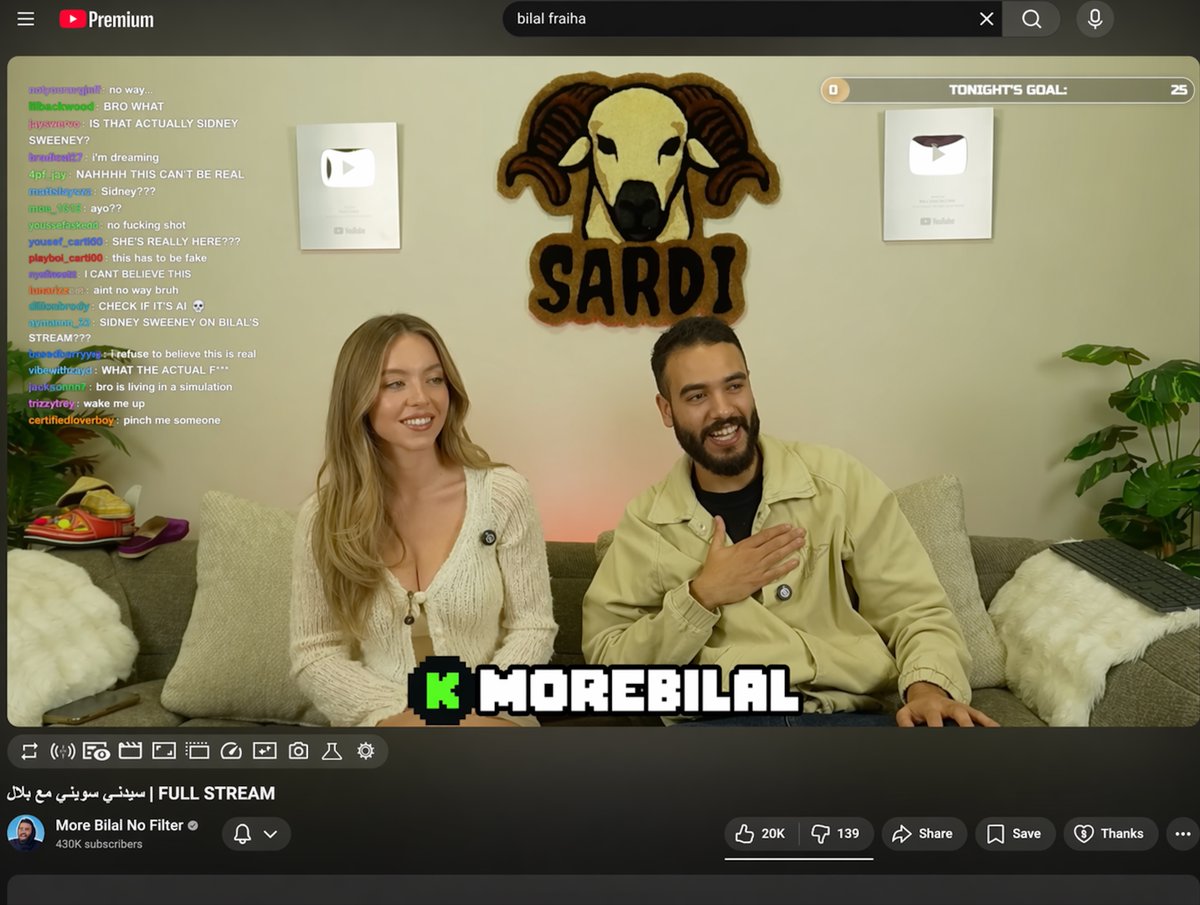
  "type": "YouTube livestream UI",
  "top_nav": {
    "logo": "YouTube Premium",
    "search": "{argument name=\"search query\" default=\"bilal fraiha\"}",
    "icons": 3
  },
  "player": {
    "subjects": [
      "{argument name=\"female guest\" default=\"Sydney Sweeney\"} in white cardigan",
      "bearded man in beige jacket laughing"
    ],
    "bg": "couch, 2 silver play buttons, ram logo 'SARDI'",
    "overlays": {
      "chat": {"pos": "left", "count": 15, "desc": "colored usernames, white text"},
      "goal": {"pos": "top right", "text": "TONIGHT'S GOAL: 0 to 25"},
      "banner": {"pos": "bottom center", "text": "K {argument name=\"streamer name\" default=\"MOREBILAL\"}"}
    },
    "controls": {"count": 10}
  },
  "details": {
    "title": "{argument name=\"video title\" default=\"FULL STREAM | سيدني سويني مع بلال\"}",
    "channel": "{argument name=\"channel name\" default=\"More Bilal No Filter\"}",
    "buttons": 5
  }
}
Prompt Notes
Best for Useful for UI concepts, social screenshots, dashboard ideas, and high-fidelity product visuals.
What to study Study information architecture, module hierarchy, screen density, and realistic device context.
How to adapt Add screen states, component rules, dark mode, or cross-device adaptation requirements.
This gallery is for prompt study and visual research. It is not affiliated with the original creators, platforms, brands, or model providers.